
You have chosen a restaurant for a private family dinner, but the booking conversation keeps returning to the same question: how many people should the restaurant arrange for? A list of invited households is useful, yet it does not tell you who has actually said they can attend.
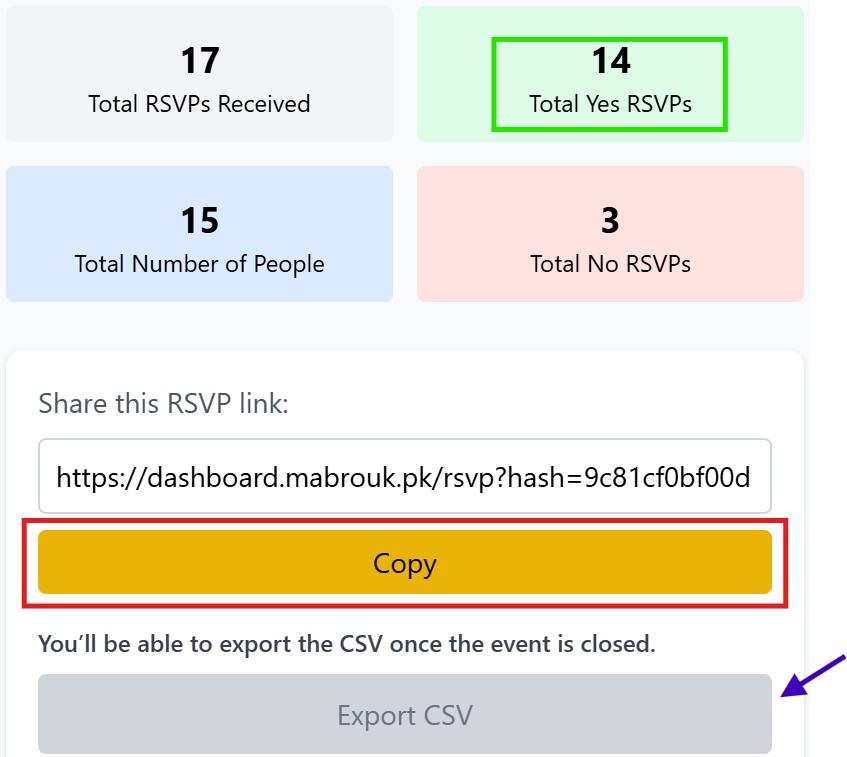
Mabrouk helps you collect the attendance answers before you finalise the arrangements. Create the dinner event, share its RSVP link with invited guests, and review submitted Yes, No and Maybe responses with headcounts in your dashboard. Guests respond in their browser without an app download or guest account.
Ask the restaurant what it needs before inviting guests
Discuss the available space, menu arrangements and the deadline for confirming your planning number. Agree how later changes will be handled. These details give you a practical reply deadline to put in the invitation, with time left to resolve uncertain answers.
Mabrouk supports collecting guest responses. You still make and confirm the restaurant booking directly, so keep that agreement separate from your event’s response record.
Define who belongs in each household response
Explain whether the invitation covers named individuals or an invited household. Ask guests to include themselves in the total attending, and agree how to handle children’s seating and meals with the restaurant.
A household headcount tells you how many people the guest expects to bring within their invitation. Any special seating or menu details can be coordinated personally rather than assumed from the number alone.
Send a dinner invitation with a useful next step
Assalam-o-Alaikum [Name]! Please join us for dinner on [Date] at [Restaurant and Branch], starting at [Time]. Kindly confirm by [Reply Date] here: [Mabrouk RSVP Link]. Please include the total attending from your invited household so we can confirm our arrangements with the restaurant. We look forward to hosting you!
Use the exact branch and a clear arrival time. Send the message to the person coordinating each household, and ask them to submit one answer for that invited group. Your invitation stays personal while Mabrouk brings submitted answers together.
Review headcounts before calling the restaurant
Check the confirmed people in your response record, keep Maybe answers separate, and compare submitted responses with the original invitation list. Follow up personally with households whose decision is still needed before approving a planning number.
For example, six Yes responses might represent several families rather than six diners. The headcounts make the difference visible before you discuss table space and food quantities.
Keep one person responsible for the booking instruction
Choose a host to review the count and communicate the approved number to the restaurant. If another relative receives a confirmation by phone, reconcile it with the planning record so the same household is not counted twice.
Record the number you agreed with the restaurant and when you agreed it. If a guest changes plans afterwards, let the designated host discuss the change instead of several people giving different instructions.
Start free with the next dinner you are arranging
Your first 5 Mabrouk events are free, with no credit card required. Create your private dinner, check the response page and include the link with the invitation. See how much simpler it is to review submitted confirmations in one place.
When you need more events, compare paid single events and larger event packs. Payments are one-time rather than a monthly subscription. Choose extra capacity around your future dinners and family gatherings, with a response process you already know how to use.
Your next event, better organized
Give your next dinner a clearer guest count.
Create your dinner free and share one easy RSVP link with invited households. Compare paid plans when you need more events.
5 free events · No credit card required · One-time paid plans